2.5 Examining Distributions
- The first commandment of data analysis is look at your data
- Many (most?) common problems in data analysis can be easily ascertained via relatively simple techniques for examining your data
- Graphical solutions are most helpful for continuous and count variables as they often contain many values (e.g., too many values to easily notice patterns via tables)
- For binary, nominal, and ordinal variables a frequency table and/or bar chart often suffices
Frequency tables & bar charts
- For a nominal/binary IV, can just look at frequency (or %) in each category
use "https://tdmize.github.io/data/data/gss", clear(gss.dta | GSS 1972 - 2016 Data | DMV Workshop)fre degree if year >= 2010degree -- Highest Educ Degree
-----------------------------------------------------------------------
| Freq. Percent Valid Cum.
--------------------------+--------------------------------------------
Valid 0 lt high school | 1251 13.28 13.29 13.29
1 high school | 4707 49.95 49.99 63.28
2 junior college | 698 7.41 7.41 70.70
3 bachelor | 1737 18.43 18.45 89.14
4 graduate | 1022 10.85 10.86 100.00
Total | 9415 99.92 100.00
Missing .n NA | 8 0.08
Total | 9423 100.00
-----------------------------------------------------------------------graph hbar if year >= 2010, over(degree) ///
title("[2.5.a] Distribution of educational attainment: GSS 2000 - 2016") /
//
ytitle("% of sample with this degree")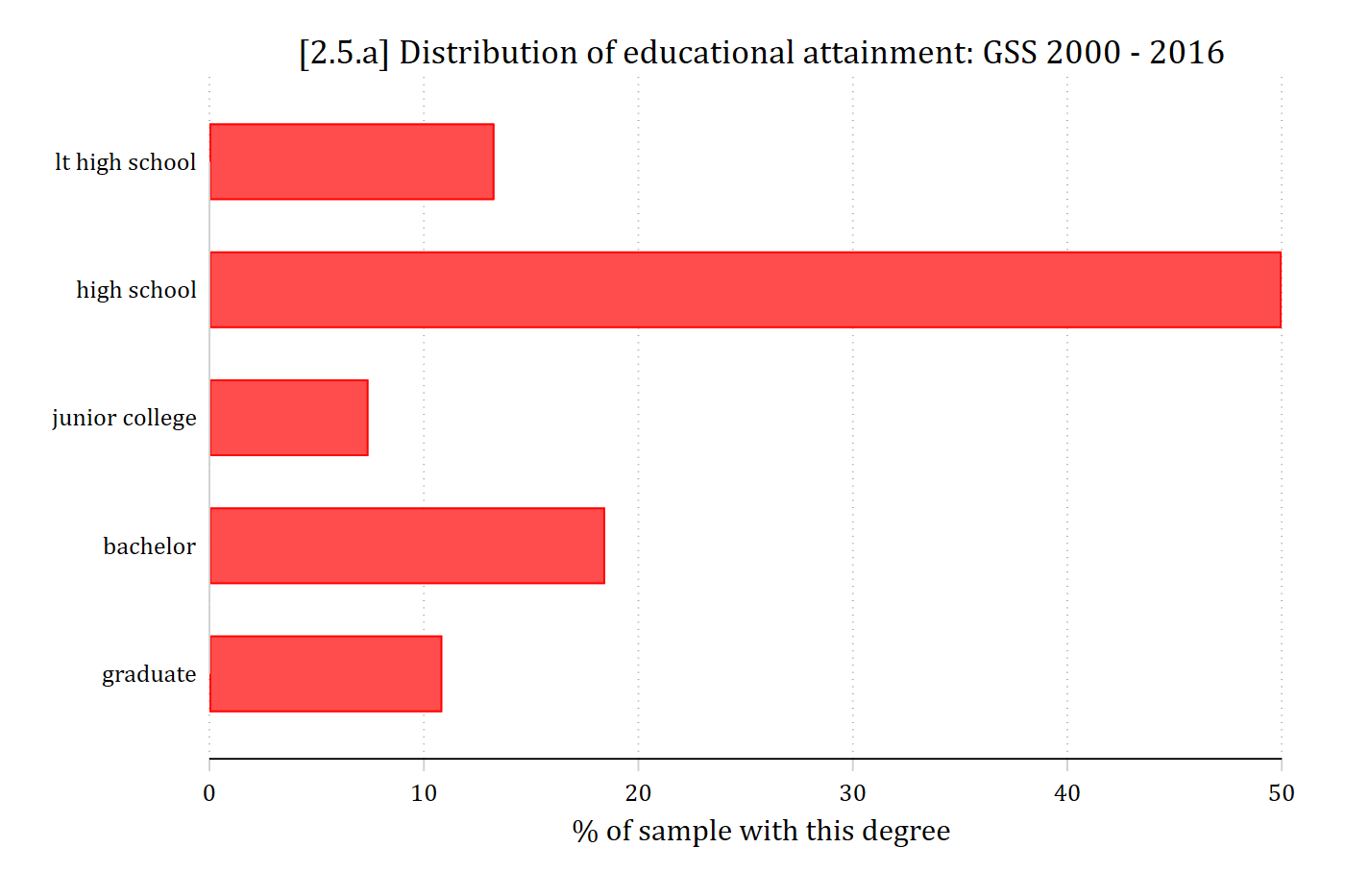
Tools for examining distributions
- Histograms are a good first step for continuous variables
- Separate “bins” for ranges of continuous variables (e.g., age 20-25, 26-30, 31-35, 36-40, etc.)
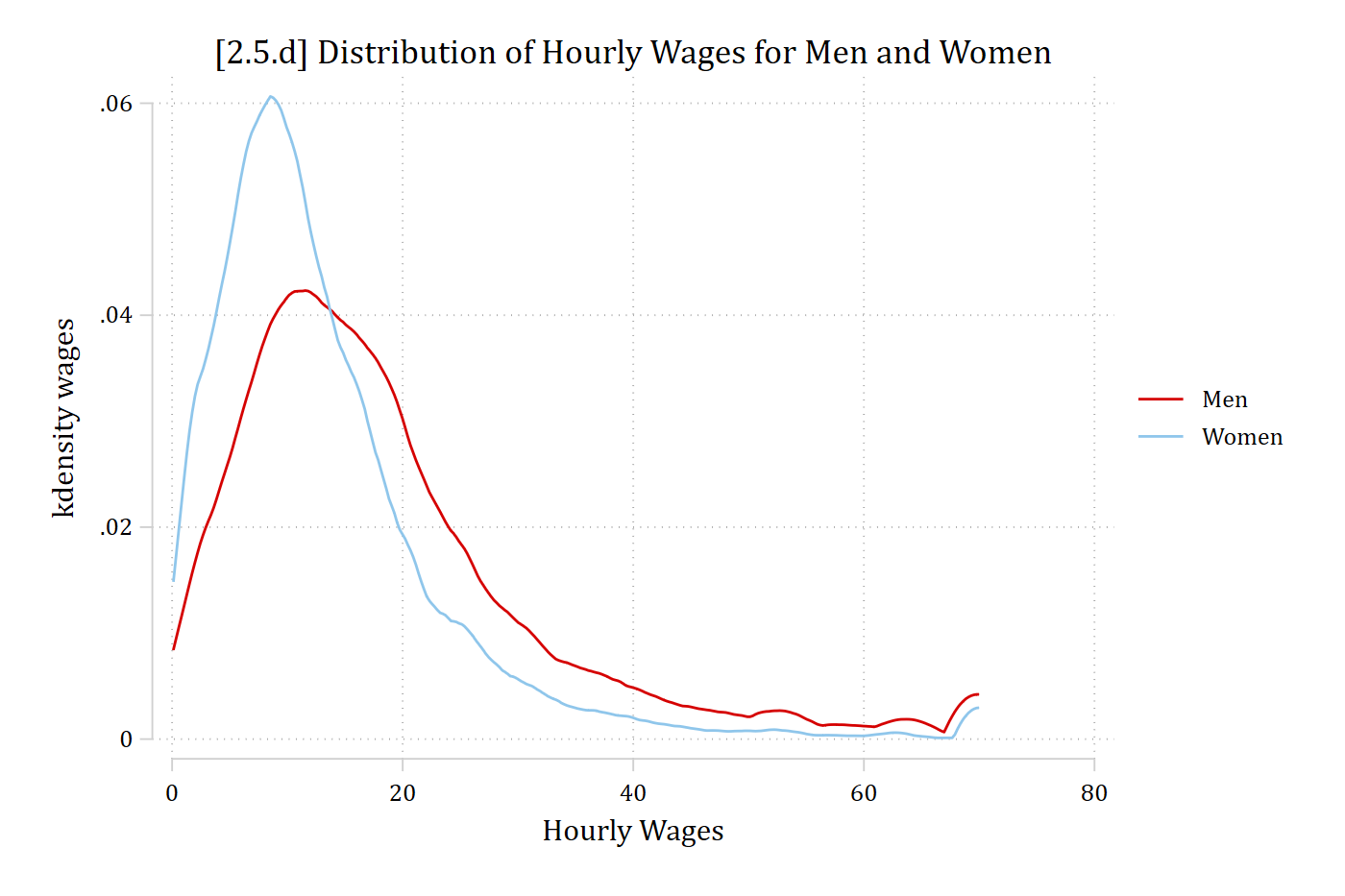
- Kernel density plots are helpful to examine a smoothed version of the distribution (rather than each specific bin as with a histogram)
- Kernel density plots are also helpful to overlay plots across multiple groups
- See examples below
hist wages, percent fcol(none) ///
    title("[2.5.b] Distribution of Hourly Wages")
(bin=44, start=.10516854, width=1.5885189)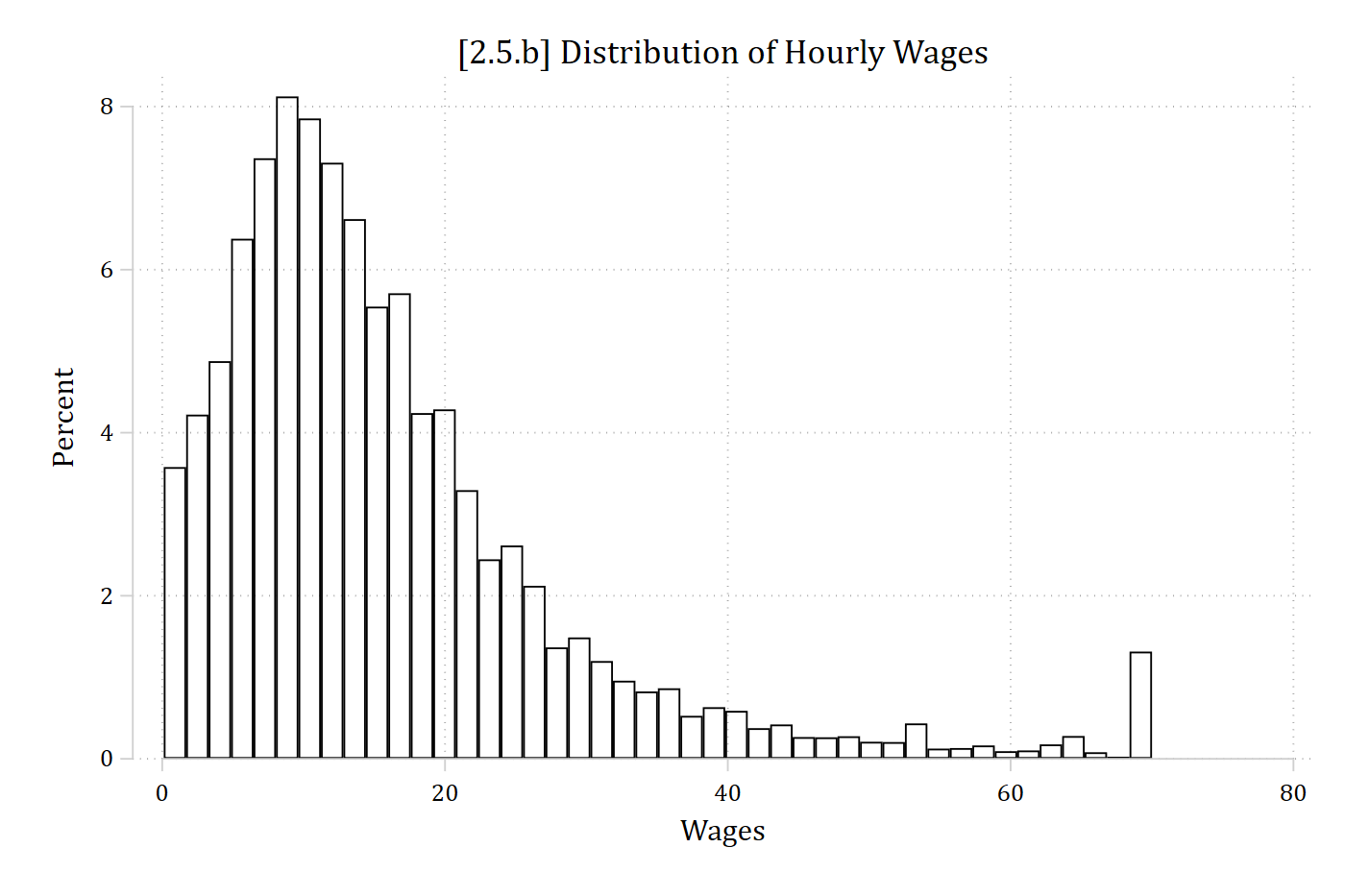
twoway kdensity wages, ///
    title("[2.5.c] Distribution of Hourly Wages") ///
    xtitle("Hourly Wages")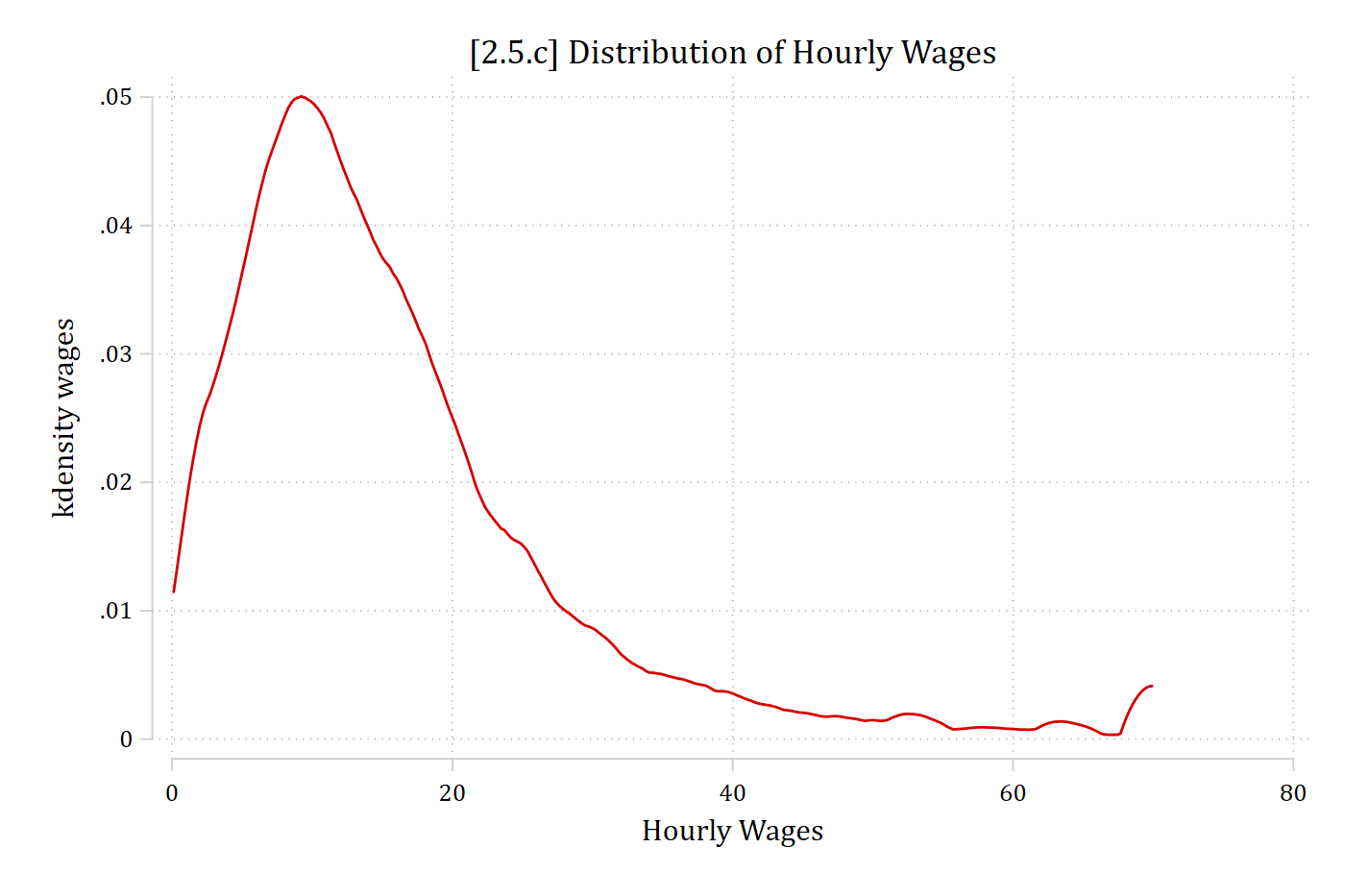
twoway kdensity wages if woman == 0 || ///
    kdensity wages if woman == 1 ||, ///
    title("[2.5.d] Distribution of Hourly Wages for Men and Women") ///
    xtitle("Hourly Wages") legend(order(1 "Men" 2 "Women"))